How to Create Animated LINE Stickers | From Video & Image Sequences
Learn how to easily create animated LINE stickers (APNG) for free from video files (MP4/WebM/MOV) or image sequences. Automatically satisfy LINE's strict file size (1MB limit), duration, and resolution rules with EzStampify's Auto Optimizer. Supports Pop-up, Effect, and Emoji formats.
Table of Contents
Prepare Video or Image Assets (MP4 / WebM / MOV Support)
Prepare source assets for your animated sticker (APNG). EzStampify supports video files, AI sprite sheets, and image sequences.
1. Direct Video Upload: Drag and drop video files (MP4 / WebM / MOV) directly to extract frames effortlessly.
2. AI Sprite Sheets: Generate multi-pose character sheets using AI (such as Gemini), then process them with AI Background Removal and Split Tool.
3. Image Sequences: Select multiple PNG/JPG images exported from your favorite illustration software.
* For detailed tool guides, visit the How to Use page.
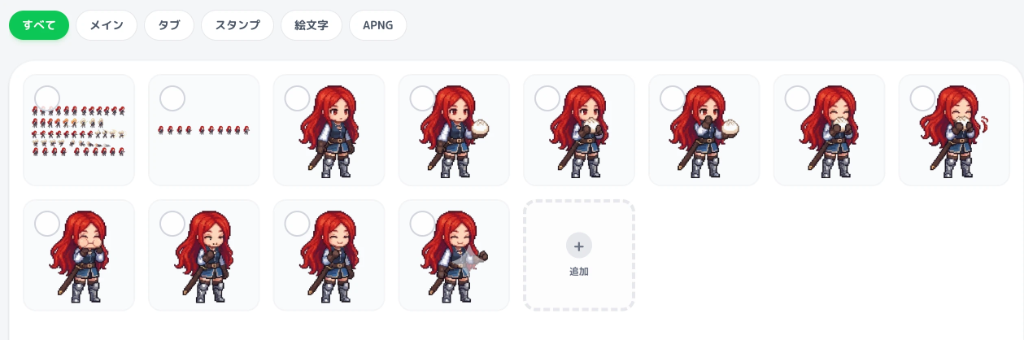
Start APNG Creation from Gallery
Select your uploaded images or videos in the gallery.
When selecting multiple images, click 'Create APNG' in the bottom toolbar to open the modal.
Dropping a video file immediately opens the Video Trimmer modal where you can select the range and frame rate intuitively.
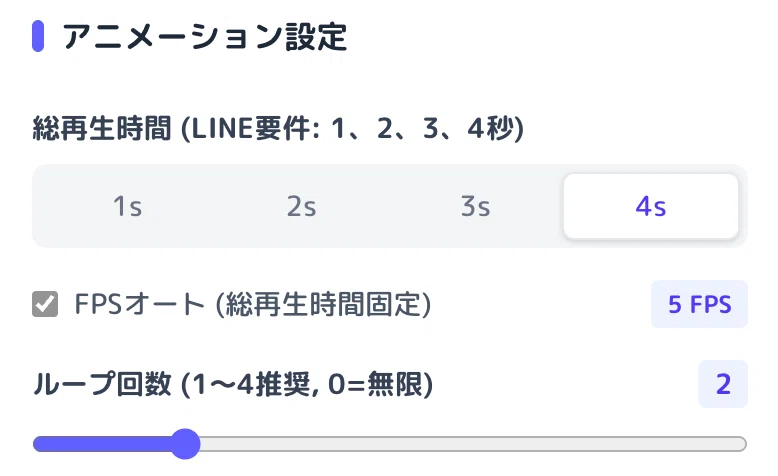
Select LINE Preset, Duration, and Loop Count
Configure target preset and animation parameters inside the APNG creation modal.
• LINE Format Preset: Choose between Standard Animated Sticker (320x270 max), Animated Emoji (180x180 fixed), Pop-up Sticker (480px max edge), and Fullscreen Effect Sticker (480px max edge).
• Loop Duration: Choose 1s, 2s, 3s, or 4s (or adjust custom FPS). Total duration is verified in real-time to match integer seconds.
• Loop Count: Set loop count (up to 4 loops) ensuring total playback duration stays within 4 seconds as required by LINE.
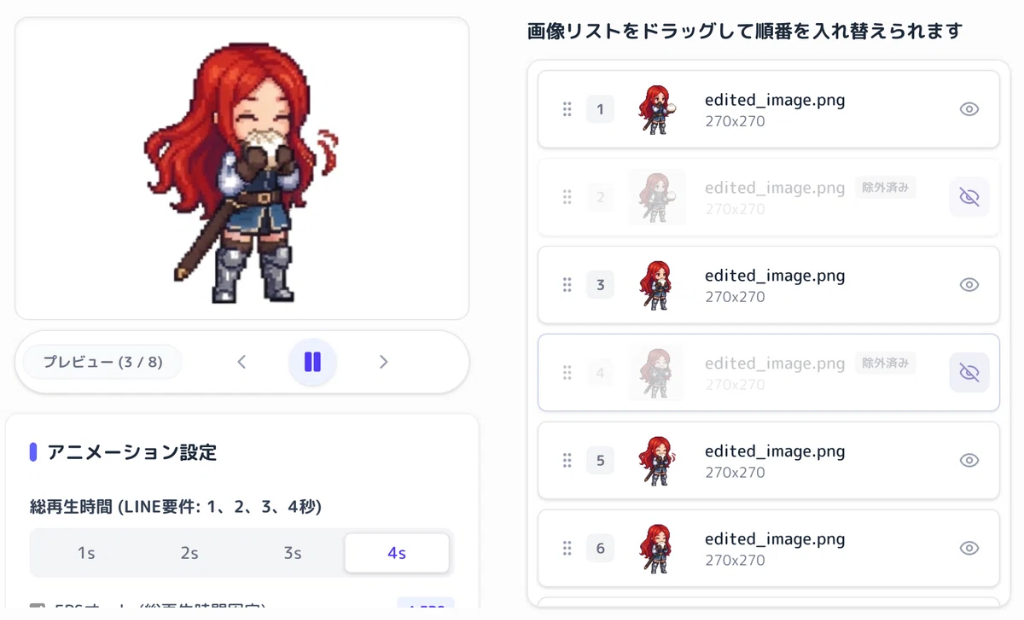
Direct Editing & Frame Management inside APNG Modal
Perform frame adjustments and editing directly within the modal.
• Direct Editing: Execute Eyedropper background transparency, auto margin cropping, or video splitting directly inside the modal.
• Reorder, Duplicate & Hide: Drag-and-drop handles to change frame sequence. Duplicate frames to pause keyframes, or toggle the eye icon to test excluding frames.
• Zoom Preview: Enlarge the preview window to inspect fine details and edge transparency.
One-Click Fix for Oversized Files: Auto Optimizer
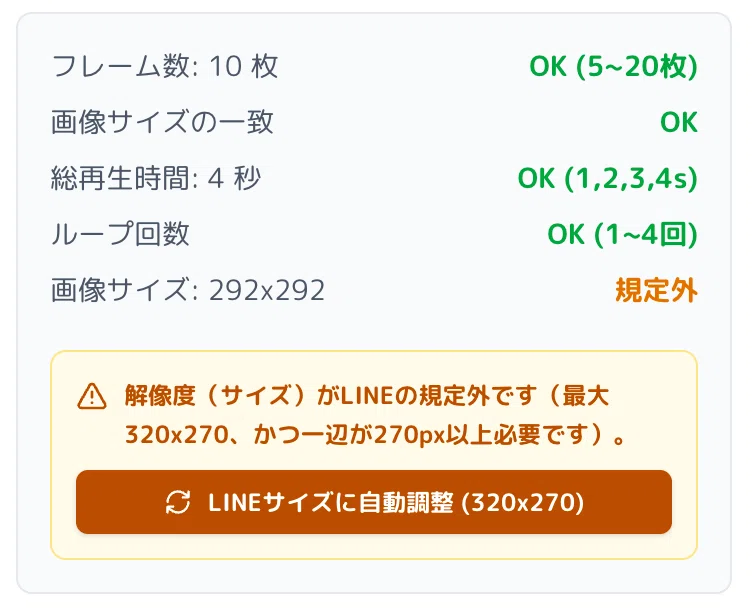
LINE requires animated stickers to be under 1MB and animated emojis under 300KB.
EzStampify checks file sizes and guidelines in real-time. If your file exceeds the limit, click 'Auto Optimizer' to run a 3-step optimization:
1. Ghost Pixel Cleanup: Clears near-zero alpha noise pixels.
2. Smart Color Reduction: Compress color palettes (e.g., 256 → 128 colors) while preserving visual clarity.
3. Frame Thinning: Adjusts frame count without altering total playback duration.
Ensure your files pass market submission guidelines automatically with a single tap.
Filter and Check Created APNGs
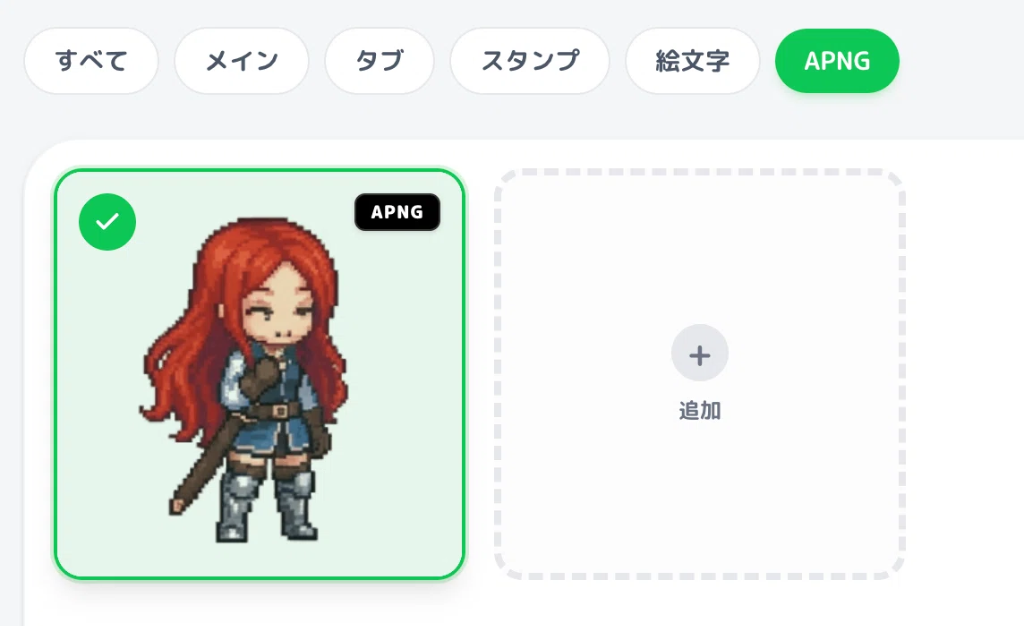
Clicking 'Create APNG' automatically adds the generated file to your gallery.
Tap the 'APNG' filter tab at the top of the gallery to isolate, view, or batch download your animated stickers.
Production Tips for Passing LINE Review
Keep these key guidelines in mind to pass LINE Creators Market review smoothly:
• First Frame Quality: The 1st frame acts as the static thumbnail in chat lists. Pick a clear, expressive frame.
• Strict Duration Limits: Total duration must be exactly 1, 2, 3, or 4 seconds. Confirm the green checkmark in EzStampify.
• Avoid Intense Flashing: Strobe lighting or rapid flashing is prohibited for user health and safety.
• Ensure Sufficient Motion: Avoid static sequences where frames barely move.
• Clean Transparencies: Check for faint background noise around edges using the Eyedropper or AI Removal tools.
* Official Guidelines: https://creator.line.me/en/guideline/animationsticker/