LINE Sticker Size & Margin Guide: Mastering the 10px Rule
LINE sticker sizes and margins in full: the 370x320px rule, the mandatory 10px transparent padding, and what Main and Tab images need.
Table of Contents
1. Primary Cause of Rejection: Dimension and Margin Errors
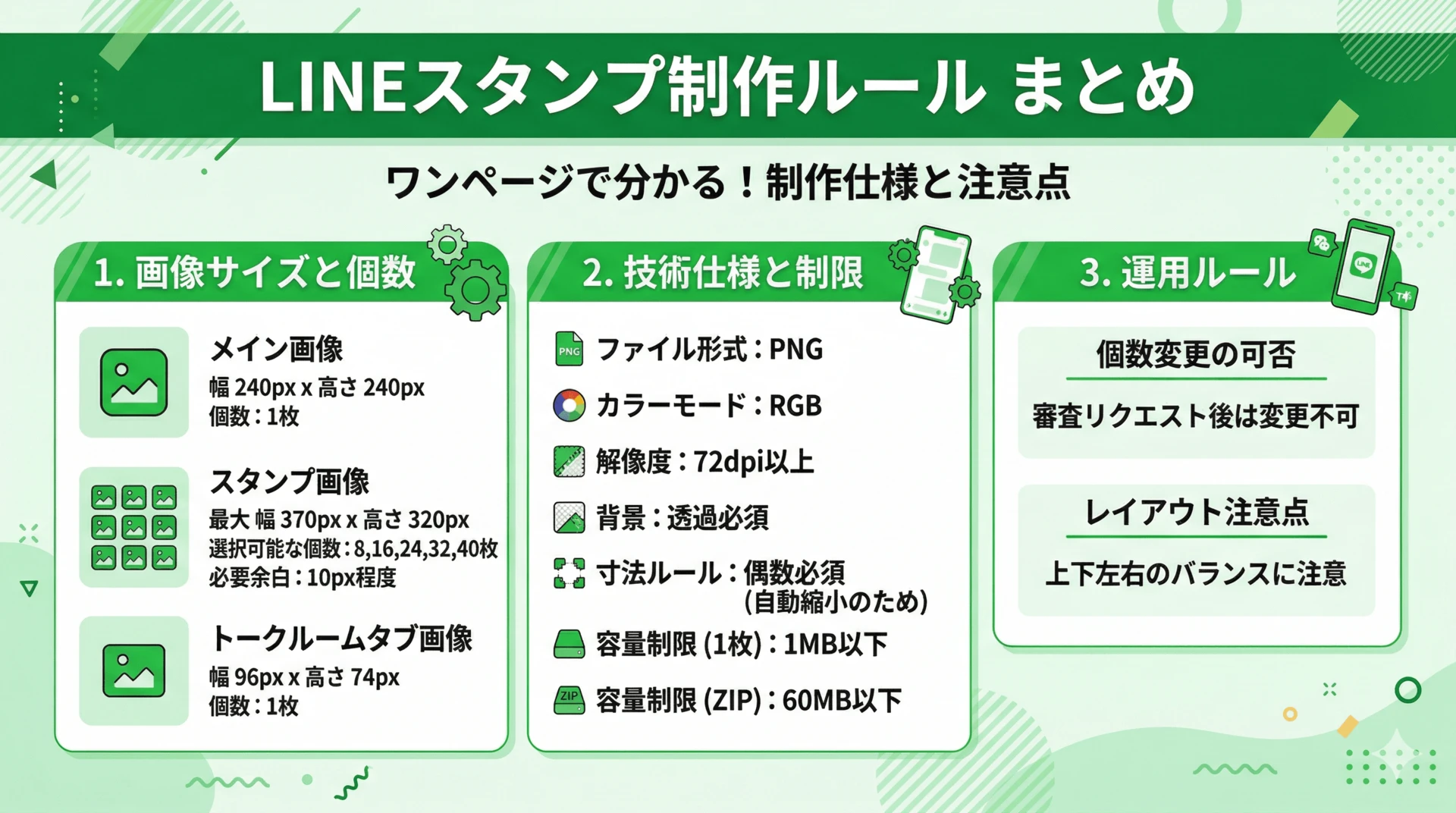
The most frequent cause for sticker rejection on the LINE Creators Market is 'Improper Image Size or Margins.'
Even if your artwork is perfect, a small mistake in export settings can lead to a full rejection of all 40 images. Understanding these basic specifications first is the most efficient path.
You need to prepare three distinct image types:
• Main Image (main.png) / 240 × 240px (1 image) The cover art for your set. Since it's the first thing users see, clarity is key.
• Stickers (01.png, etc.) / Max 370 × 320px (8 to 40 images) The core images used in chat. As long as they're within the maximum size, not every sticker needs to be the same dimensions.
• Chat Room Tab Icon (tab.png) / 96 × 74px (1 image) The tiny icon in the selector tab. A clear silhouette is more important than fine detail here.
2. Why is the '10px Margin' Mandatory?
Official guidelines require a transparent margin of about 10px around the art. There are two practical reasons for this:
● Reason 1: Visibility in Chat Stickers appear within bubbles. If there's no margin (drawing touches the canvas edge), it looks cramped and difficult to read against the background. A 10px buffer helps the character stand out naturally.
● Reason 2: Multi-Device Optimization Smartphone resolutions vary significantly. A small buffer ensures that your art won't be clipped at the edges or blurred by anti-aliasing on different screens.
It doesn't have to be exactly 10px, but having transparent pixels on all four sides is mandatory. If even 1 pixel of hair touches the canvas edge, it will be rejected.
3. Technical Pitfalls in Manual Resizing
Downscaling high-resolution art to specific dimensions requires attention to detail.
1. Maintaining Aspect Ratio The 370x320 canvas is not a standard square. Forcing your art into this space can result in subtle distortion of your characters.
2. The Even Number Rule In digital imaging, it's best to keep dimensions to even numbers. Odd numbers (e.g., 369px) can cause blurry lines on many device screens. LINE recommends using even numbers for clarity.
3. Managing File Names and Exports Assigning correct names (01.png, etc.) to 42 files manually is tedious. It's easy to make a small naming error or overlook the size of a single file, leading to a full rejection.
4. Automating Specification Detection with EzStampify
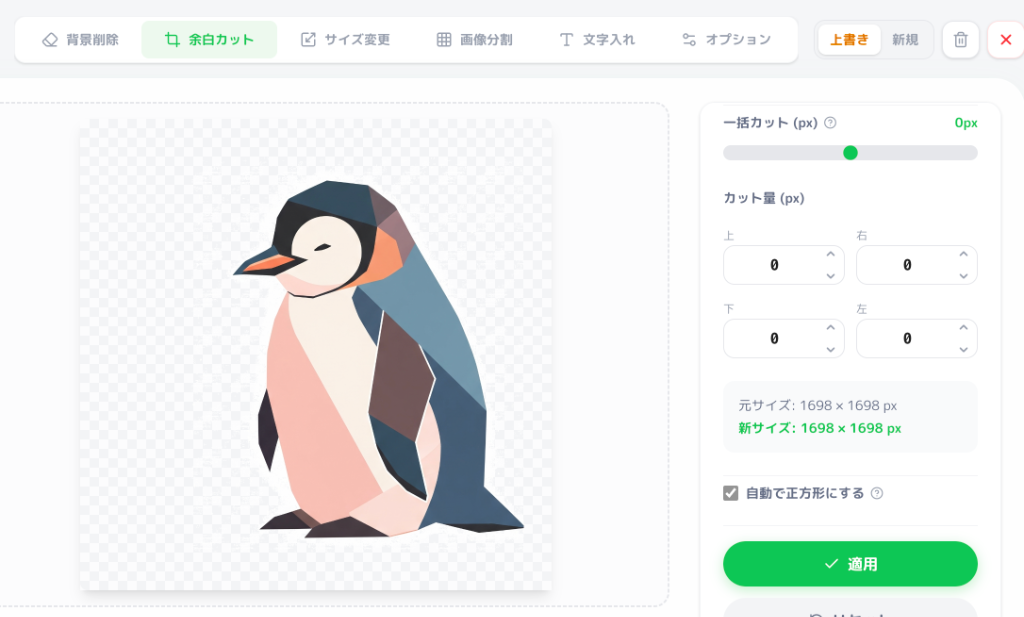
EzStampify was designed to automate these tedious tasks so you can focus on creativity.
● Optimal Margin Injection Analyzes your artwork's silhouette and automatically places it within the 370x320 canvas with perfect margins for review.
● Multi-Format Conversion Automatically resizes and frames your art for the Main and Tab images without breaking the composition.
● Sharpness with Even-Pixel Fixing Ensures all exported files use even-numbered dimensions, resulting in a crisp look on every device.
● Organized ZIP Export Renames everything (01.png, main.png, etc.) according to LINE's rules and bundles them into a ZIP file ready for upload.
Summary: Letting Tools Handle the Specs
The rules for LINE stickers are designed to ensure a great experience for users.
However, creators shouldn't spend their valuable time on the manual labor of following them.
1. Focus on the 370 × 320 px limit. 2. Ensure about 10px of padding. 3. Keep even pixels for sharpness.
By letting a tool handle these technical points, you can spend your time drawing characters and exploring new ideas.
Free yourself from technical friction and finish your best sticker set yet!